Usage#
LLM configuration#
Some Ansys generative AI features support a cloud subscription model, while others require you to bring your own LLMs. In the latter case, configure these LLMs using the AALI Model Configuration utility.
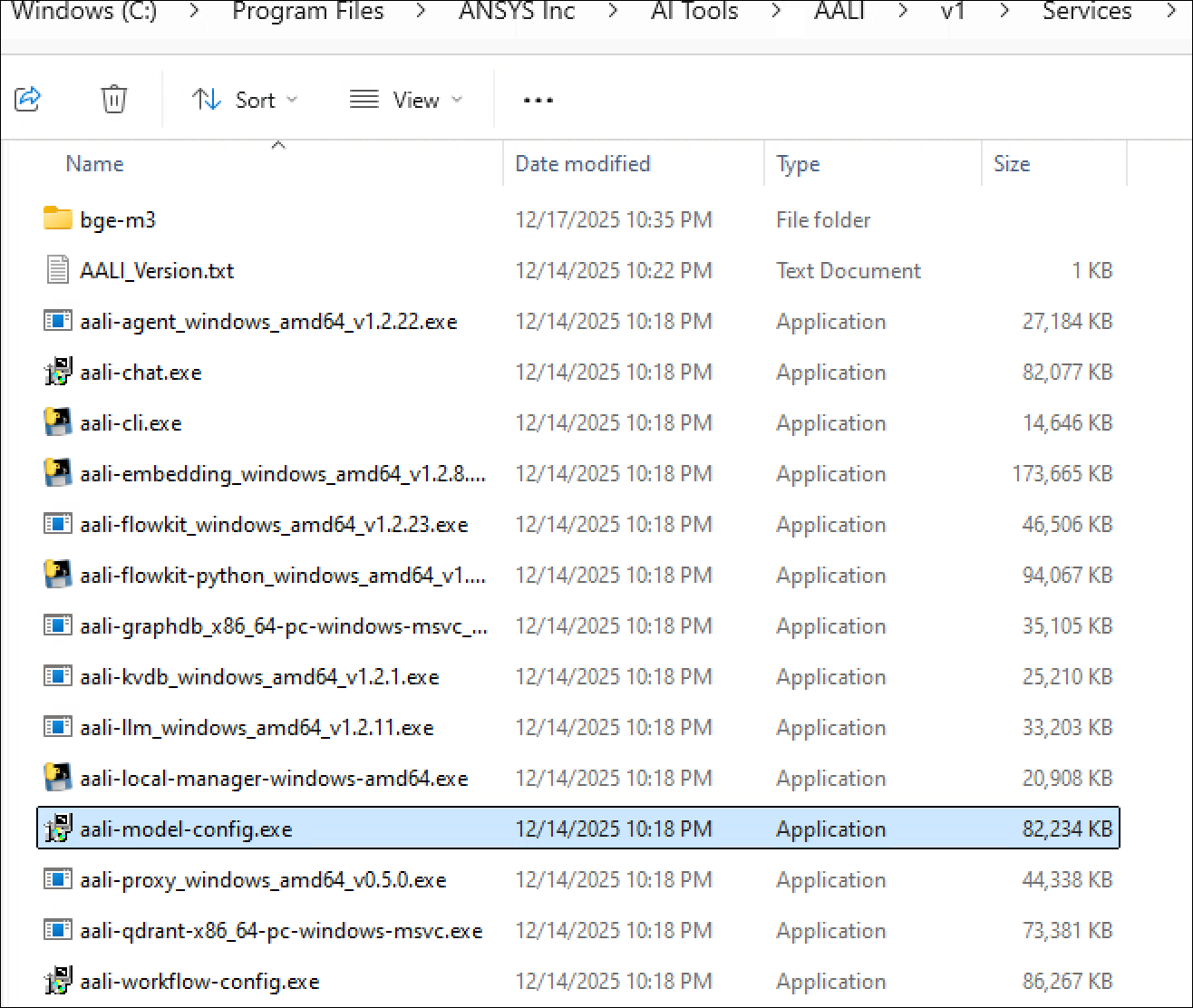
Ansys products are likely to launch the AALI Model Configuration utility if the LLMs are not yet configured. You can also manually launch it. The default installation location is C:\Program Files\ANSYS Inc\AI Tools\AALI\v1\Services\aali-model-config.exe.
When you first launch this utility, the Models page shows that the embedding model (BGE-M3) is already configured. Do not change this configuration since this is the only model supported at present.
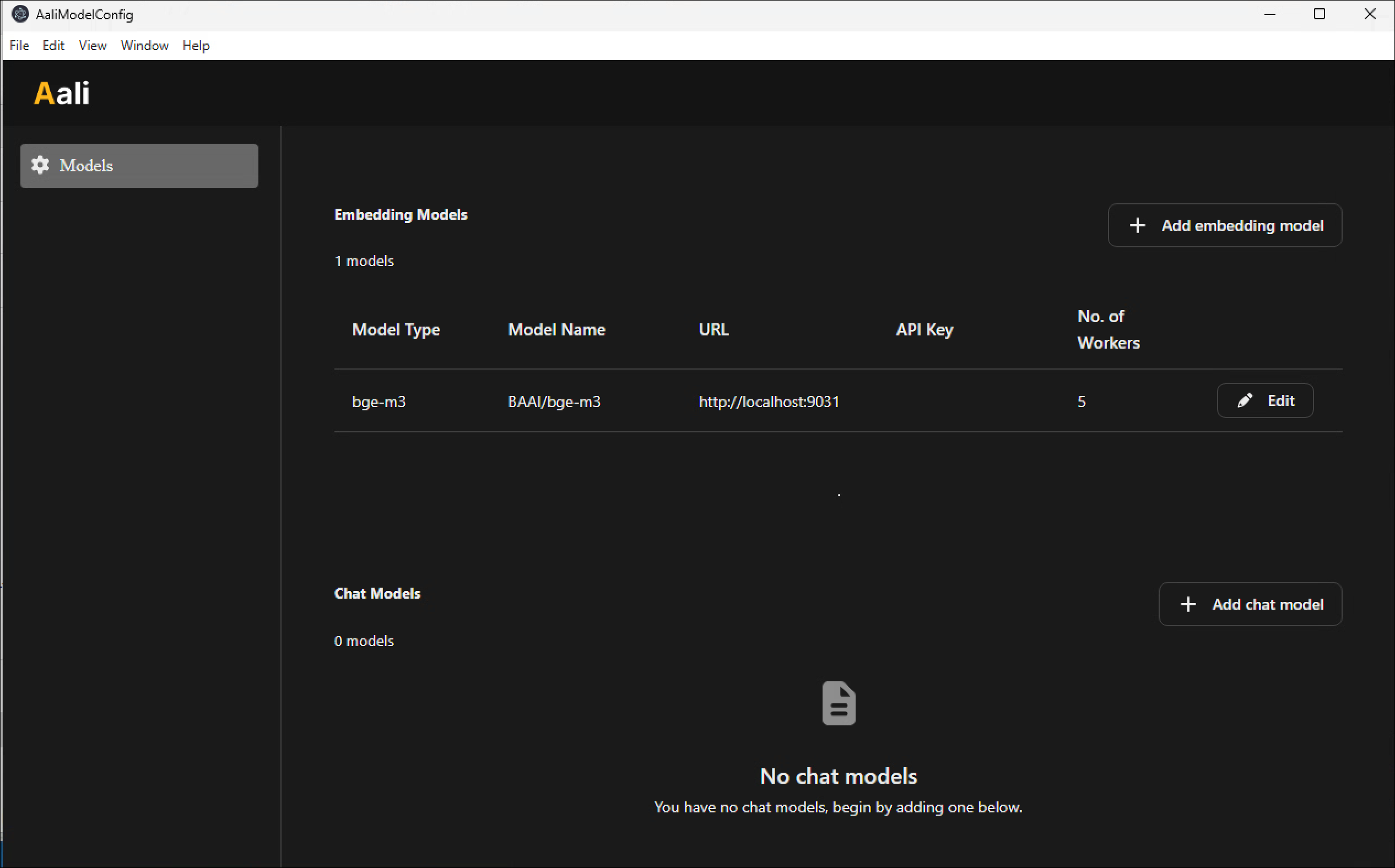
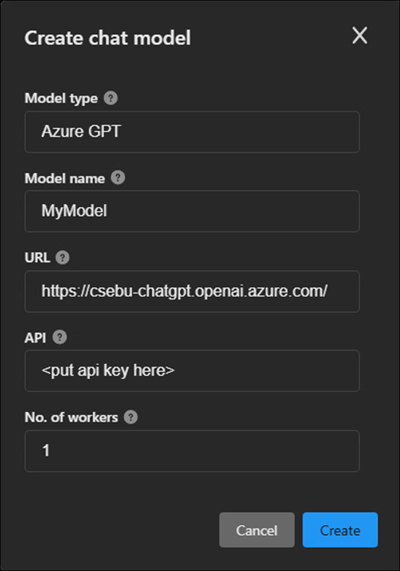
To add an LLM, click Add chat model, complete the Create chat model window, and click Create.
After adding an LLM, the Models page might look like this:
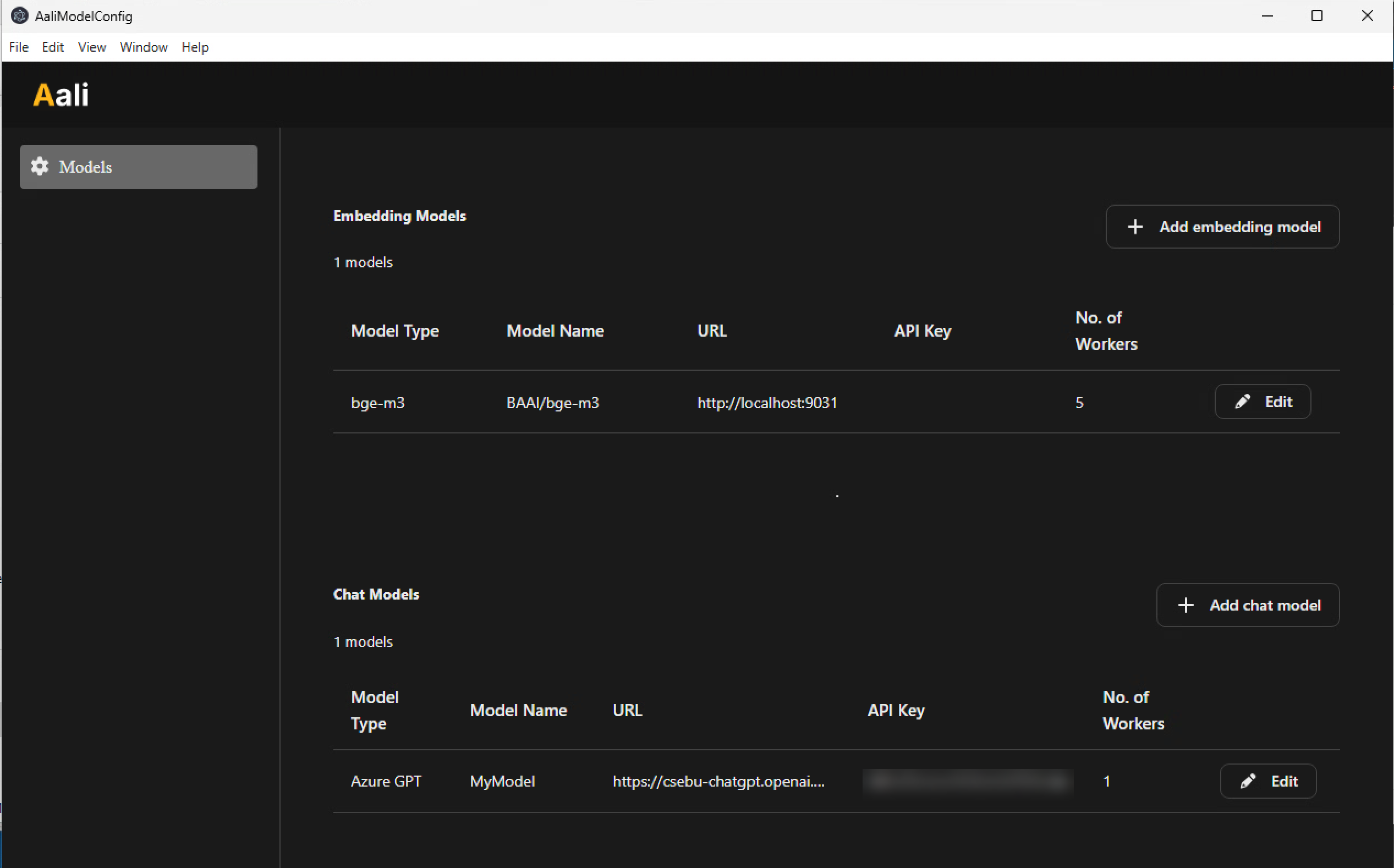
Currently, only one LLM is required. If you provide multiple LLMs, the system selects one at random.
The number of workers determines how many simultaneous requests the chat (LLM) and embedding models can handle. On a machine with one user, the recommendation is to set the number to 2 for the chat model. (Do not edit the embedding model.)
Use LLM providers that do not claim ownership of intellectual property, or ensure that you have an agreement regarding IP ownership with the provider.
Security#
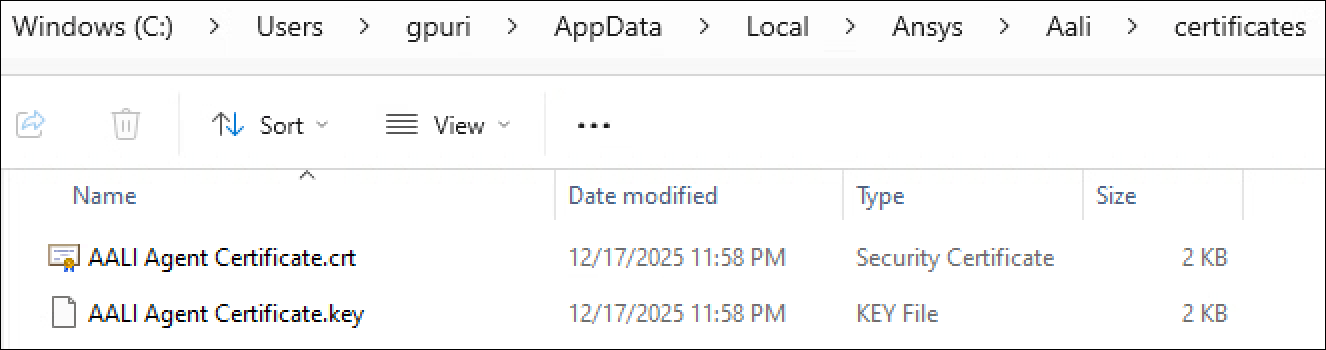
Ansys products communicate with AALI using Transport Layer Security (TLS), which requires certificates. AALI can generate self-signed certificates on your behalf, or you can generate your own. In this case, name the certificates AALI Agent Certificate.crt and AALI Agent Certificate.key, and place them in C:\Users\(username)\AppData\Local\Ansys\Aali\certificates:
Limitations#
AALI runs as a single instance on local hardware to ensure data privacy. If AALI runs on a shared machine, only one user can use it at a time.
AALI does not support all LLM providers. It is primarily tested with Azure OpenAI, but limited support exists for OpenAI, Gemini, Mistral, Ollama, and Nvidia NIM-hosted LLMs.