

Installation#
Supported platforms#
AALI is currently supported only on Windows.
System requirements#
AALI runs as a set of background services, most of which are lightweight and have minimal impact on system resources. One component, the embedding service, is more resource-intensive because it hosts and runs a local embedding model. It might consume a noticeable amount of memory and CPU while generating embeddings.
Minimum requirements#
Memory: 8 GB RAM
Disk space: 18 GB
Recommended requirements#
Memory: 32 GB RAM or more
Storage: Solid-state drive (SSD) recommended
Install AALI#
When you install Ansys products using the Ansys Unified Installer, the Ansys AI Tools category is available. To enable generative AI features in Ansys products, select both checkboxes in this category:
Ansys Actionable Language Interface (AALI)
Embedding Model BGE-M3
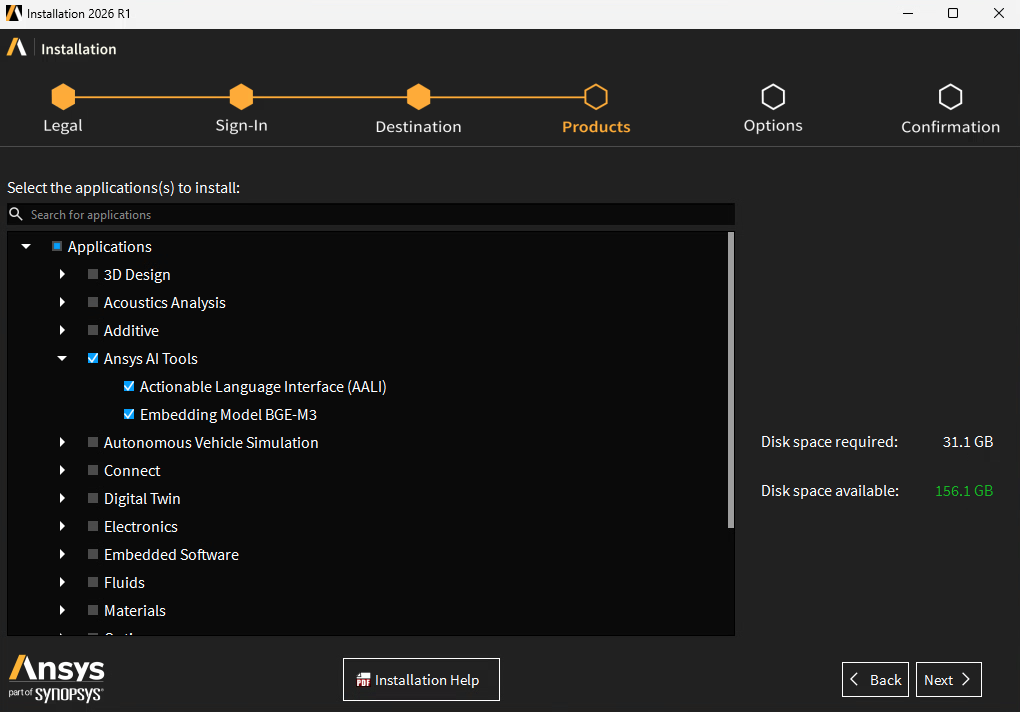
If you prefer to perform installations in silent mode, you must use the aali_core and bgem3 flags. On a Windows machine, the command might look like this:
.\setup.exe -silent -console -install_dir "C:\Program Files\ANSYS Inc" -aali_core -bgem3
Uninstall AALI#
You can uninstall AALI using the Ansys Uninstall utility, which the Ansys Unified Installer automatically installs. Selecting the checkbox for the Ansys AI Tools category selects both child checkboxes:
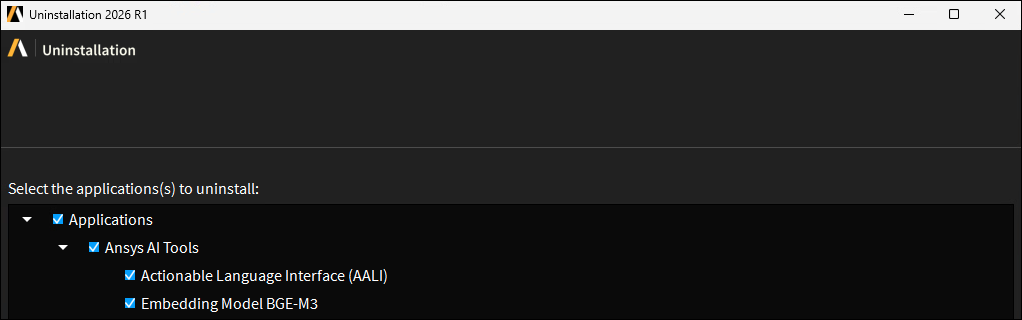
If you prefer to uninstall in silent mode, you must use the aali_core and bgem3 flags. On a Windows machine, the command might look something like this:
.\Uninstall.exe -silent -console -install_dir "C:\Program Files\ANSYS Inc" -aali_core -bgem3
The uninstaller might fail to remove files that are in use during uninstallation. To ensure a complete uninstallation or perform a manual cleanup, verify that the following folders are removed:
C:\ProgramData\ansys-aaliC:\Program Files\ANSYS Inc\AI Tools\AALI\v1\ServicesC:\Users\(username)\AppData\Local\Ansys\Aali
Configuration#
Use of the Product & CAD Configuration Manager is NOT supported for AALI.
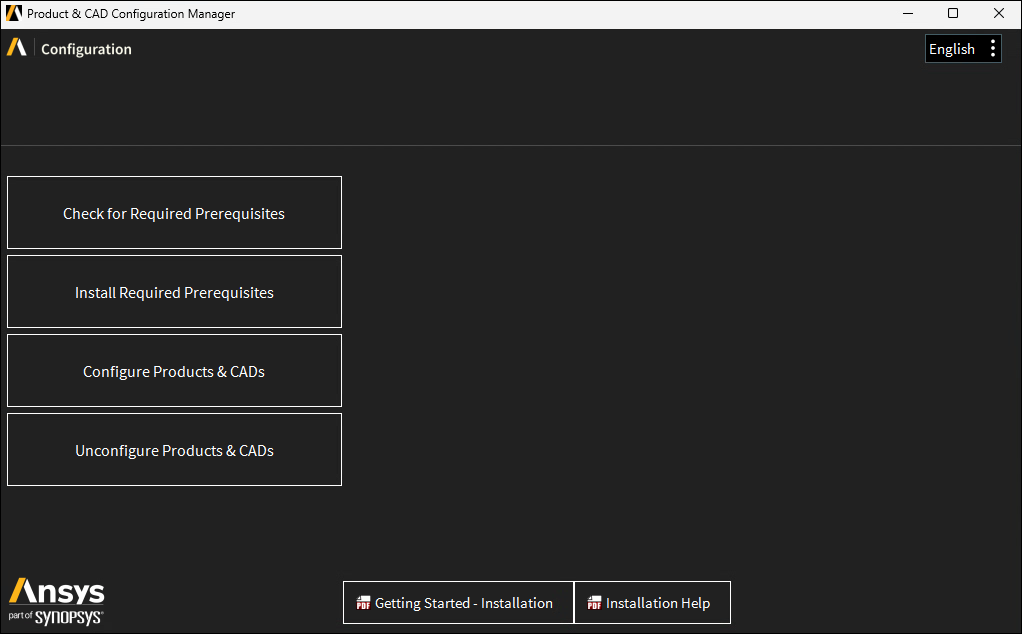
If you unconfigure AALI using this tool, it will likely end up uninstalling AALI entirely, after which you will not be able to configure it and must do a fresh install of AALI.